

.png)

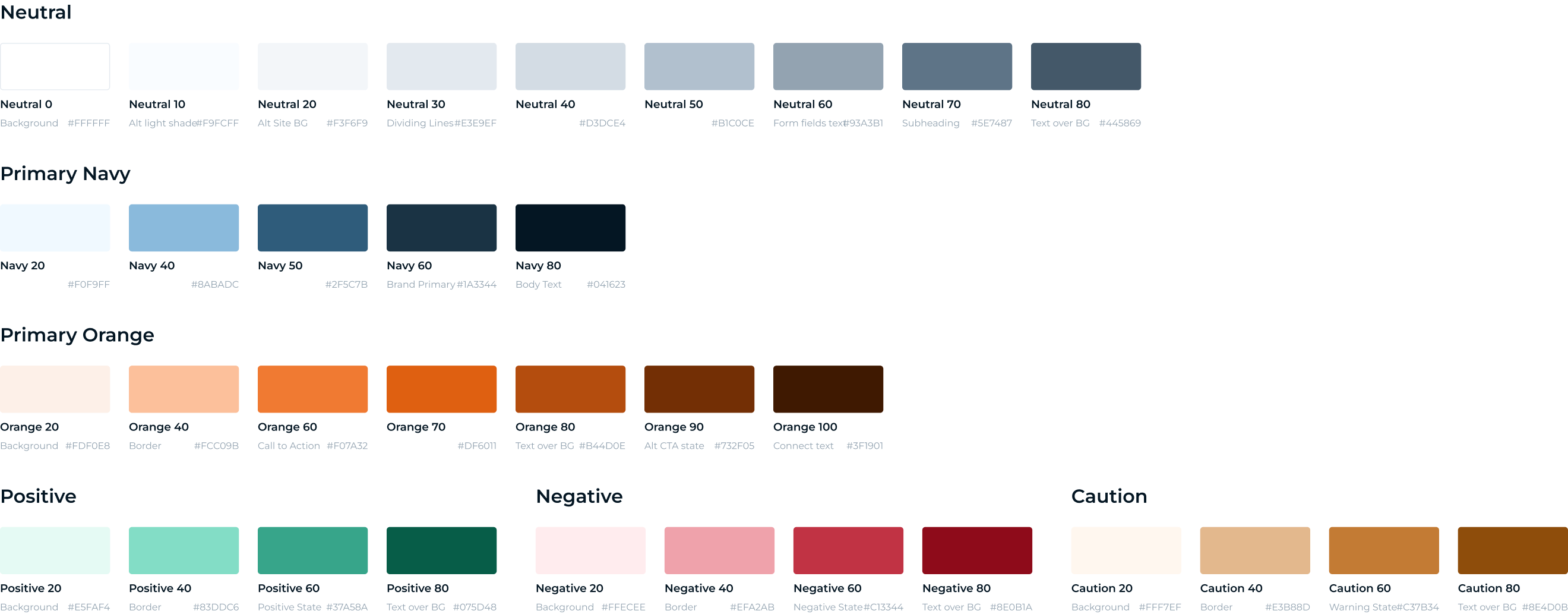
The former color system exhibited deficiencies in both structure and scalability. Many colors within the system were unused on the platform, existing as iterations of the main color. This approach lacked conciseness and efficiency. Additionally, the old system operated without defined design rules, contributing to a lack of cohesion.

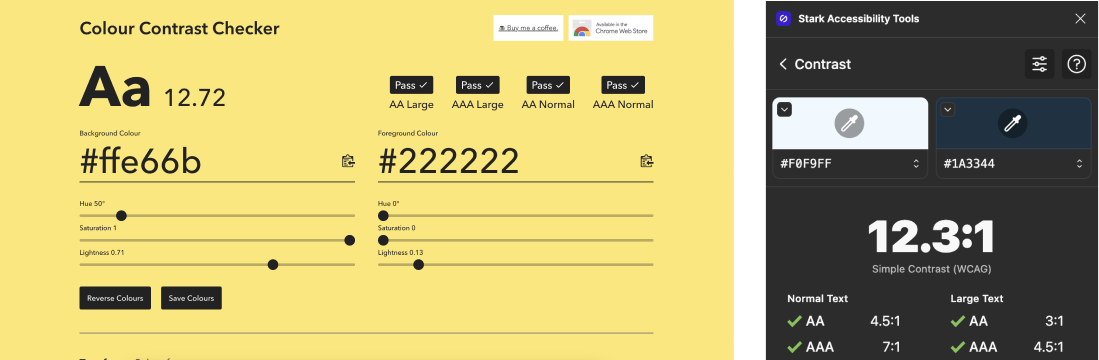
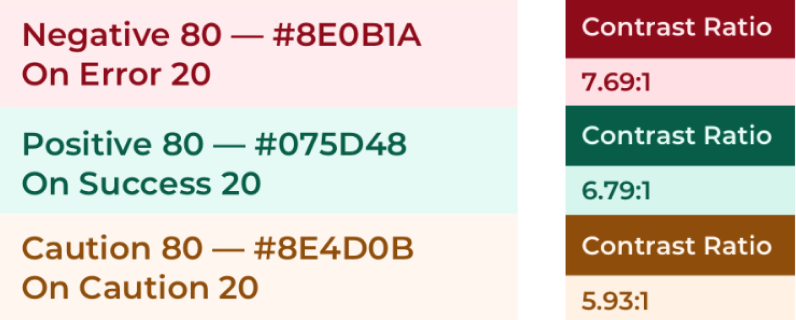
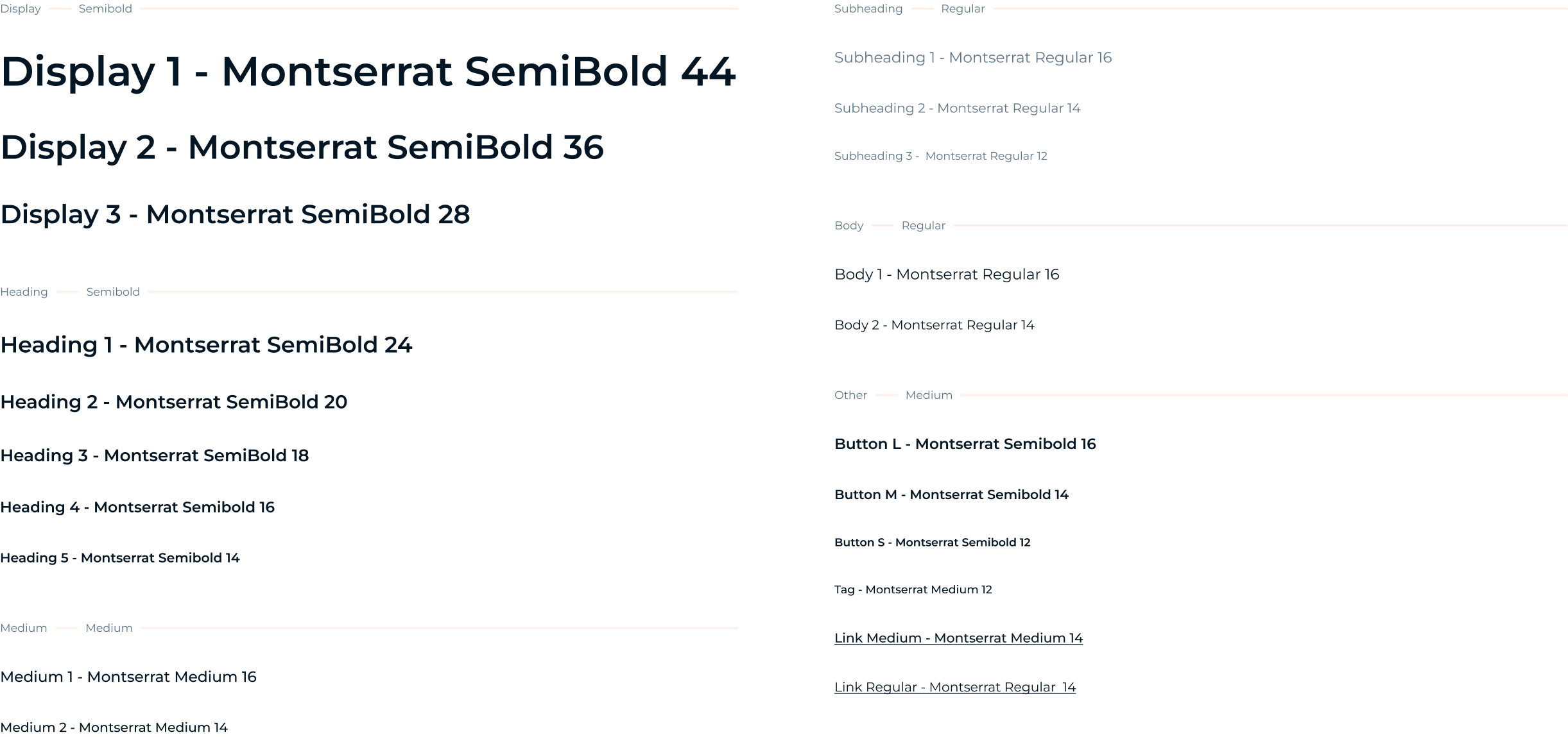
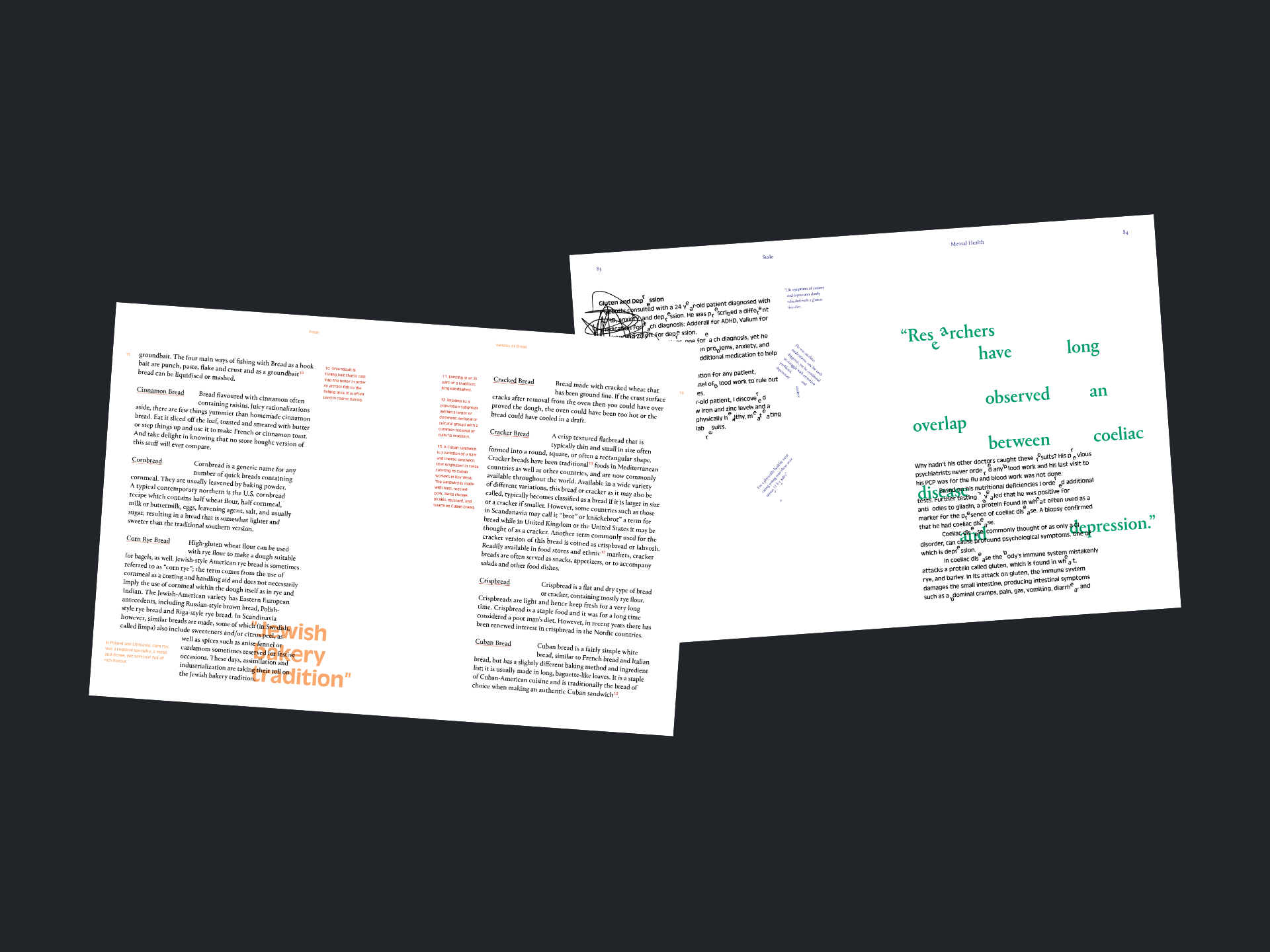
The typography styles in the previous system were notably limited, featuring numerous colour and font combinations that did not adhere to WCAG accessibility standards. This audit underscored the need for an overhaul, prompting a more thoughtful and inclusive approach to typography in the redesigned system.

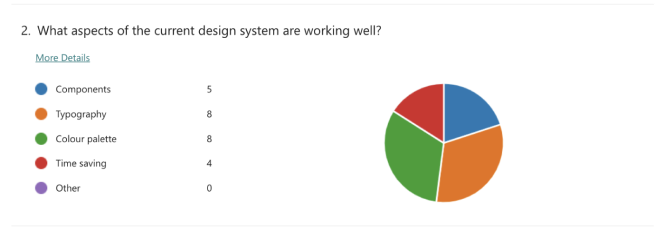
I sent out a pre-workshop survey to engage the developers, get them thinking about our current design system and to highlight any key pain points to address in the workshop.

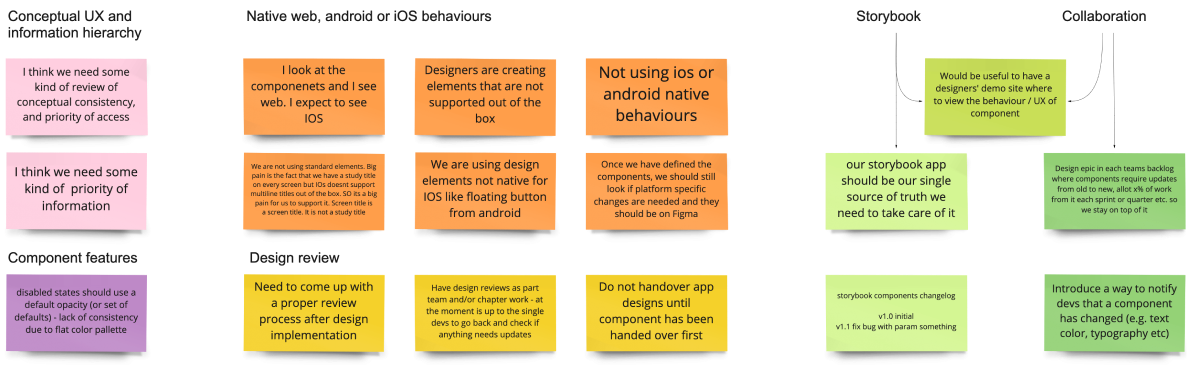
During the workshop, we engaged in dynamic post-it exercises. These exercises provided a platform for every team member to generate and capture their ideas swiftly. The process facilitated the gathering of diverse ideas and simplified the grouping of similar thoughts, encouraging active participation and collaboration among team members.

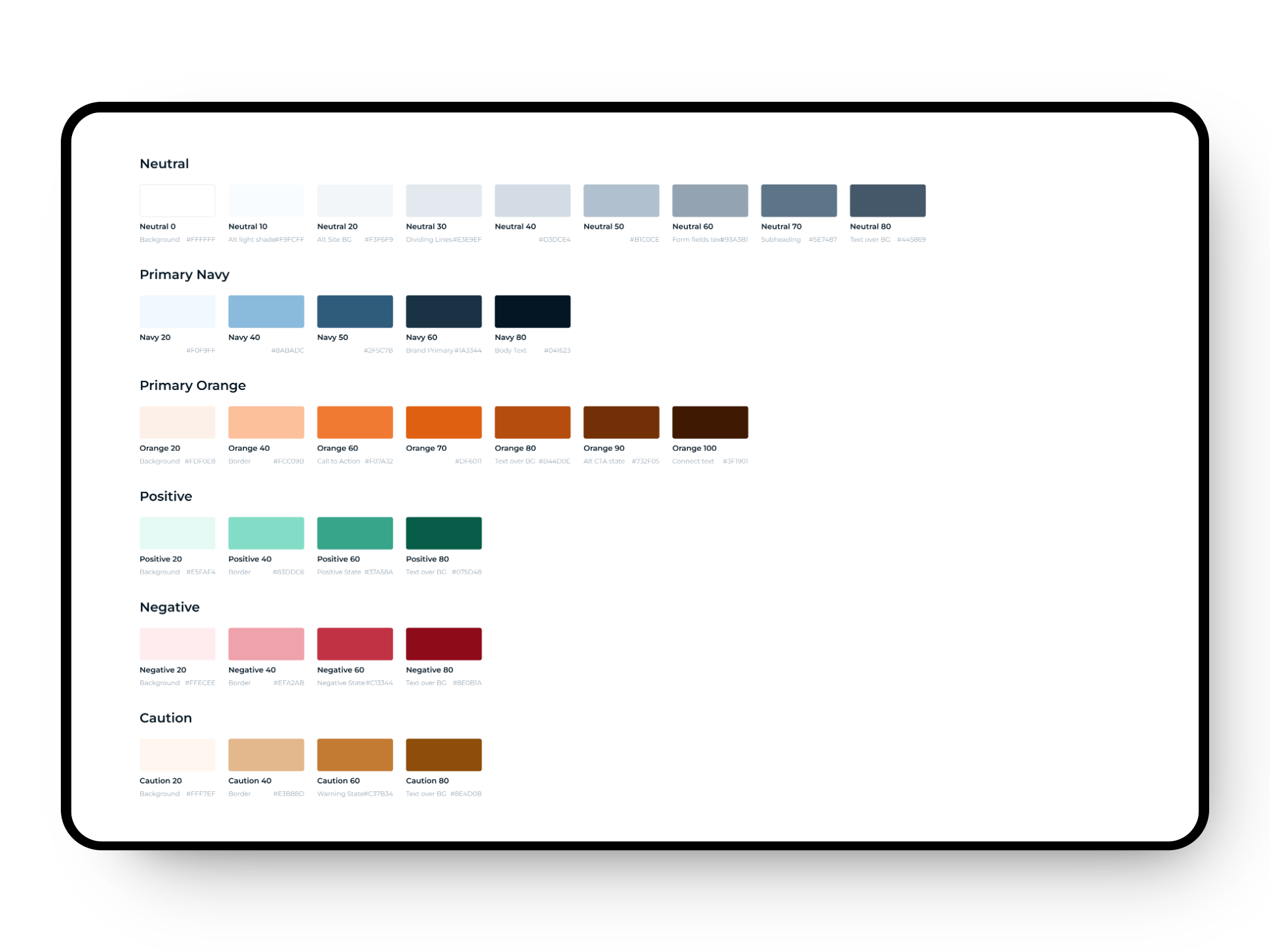
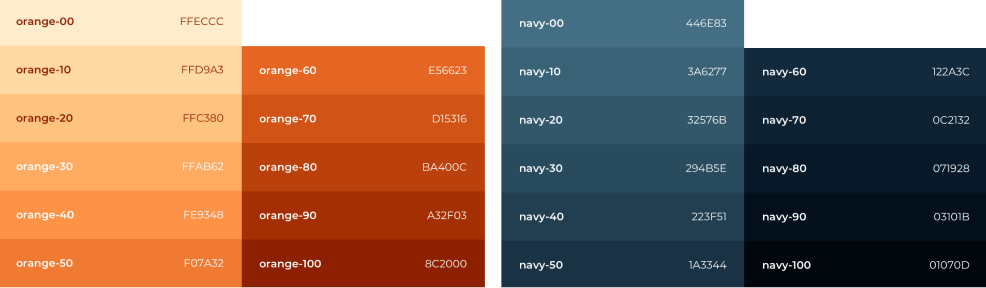
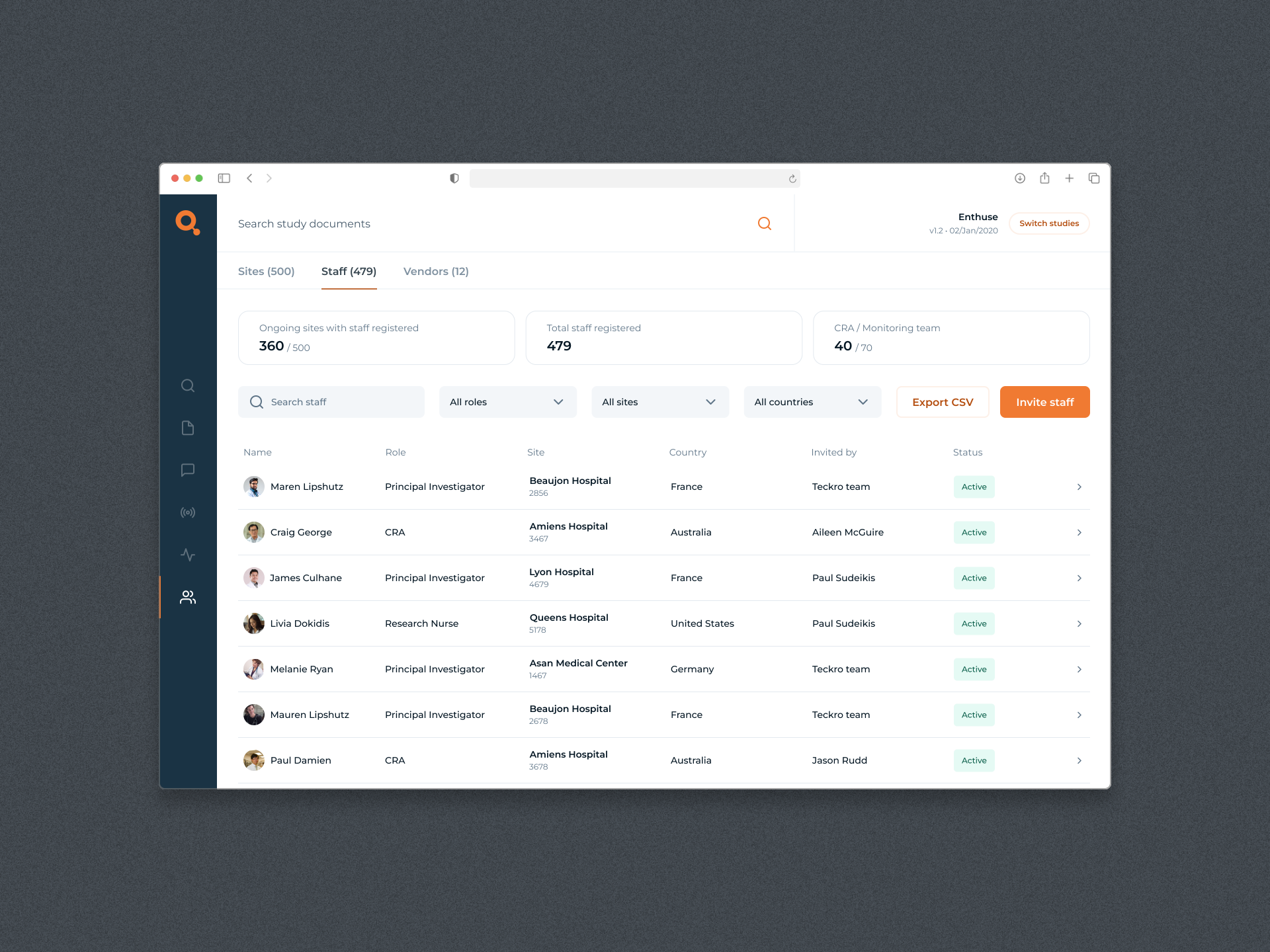
In developing our new colour palette, I implemented a strategic naming convention designed for scalability. Each colour serves a distinct purpose, contributing to a unified and harmonious visual identity across all our products. My primary objective is to establish a sense of continuity, ensuring that every product feels interconnected and emanates from the same source. The solid naming conventions I've instituted facilitate effective communication and scalability between our design and development teams.

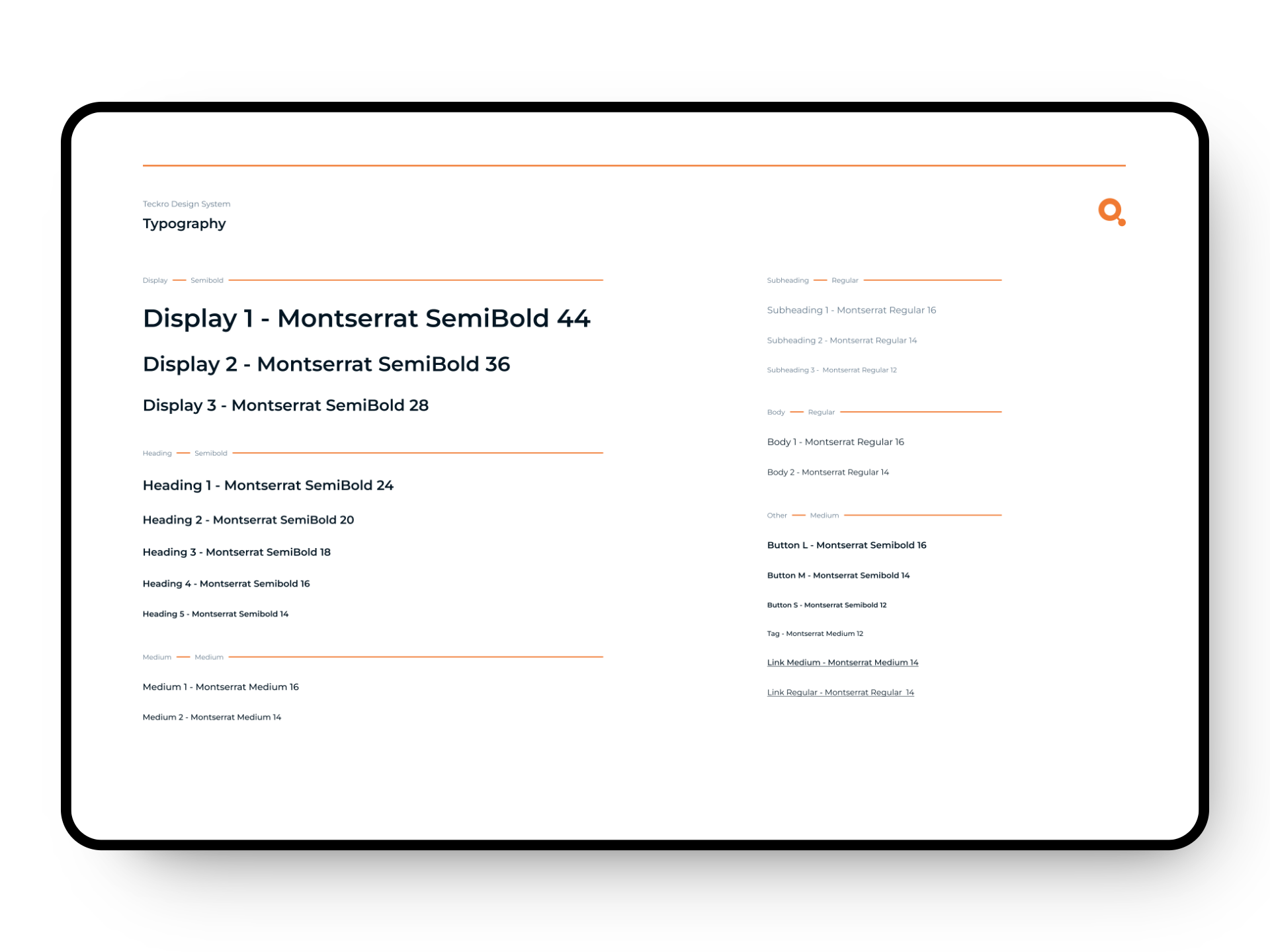
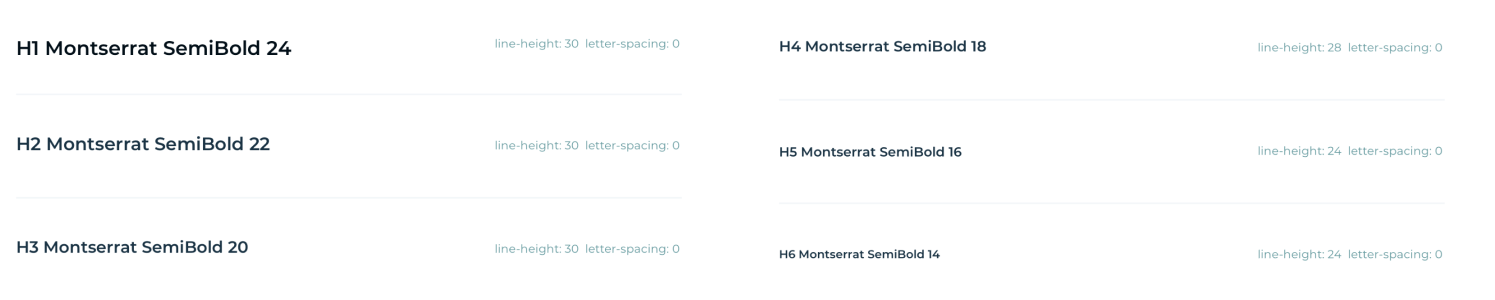
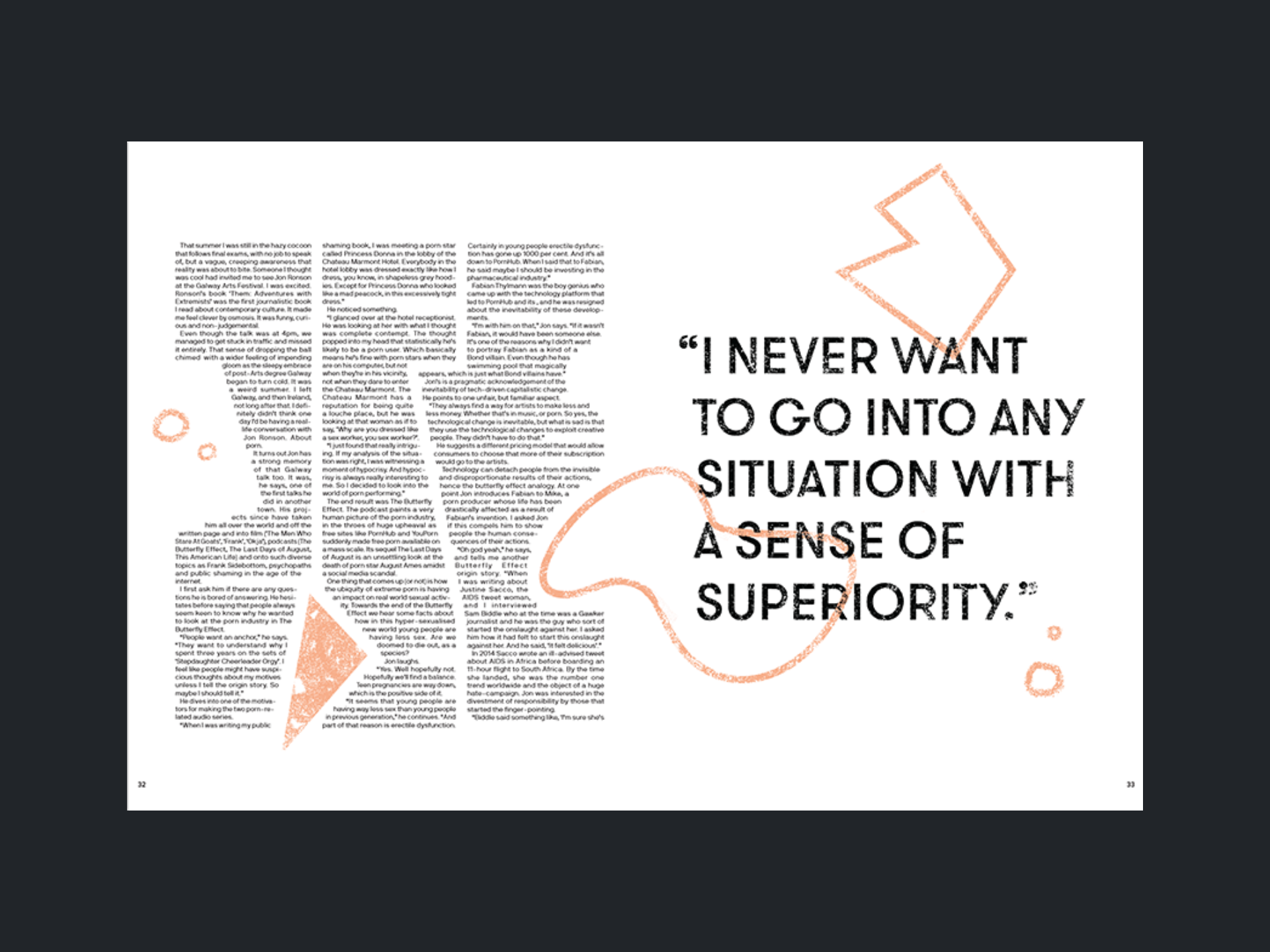
I meticulously documented the various styles, providing clear guidelines on line lengths for each style. Additionally, I defined parameters such as letter spacing, line height, and comprehensive instructions on usage to ensure consistency and adaptability across various applications within the company.